What a worker agreement records
How AgCore preserves an Australian farm worker agreement: published terms, Fair Work acknowledgements, employer review and a pinned compliance record.
The worker sees one complete agreement
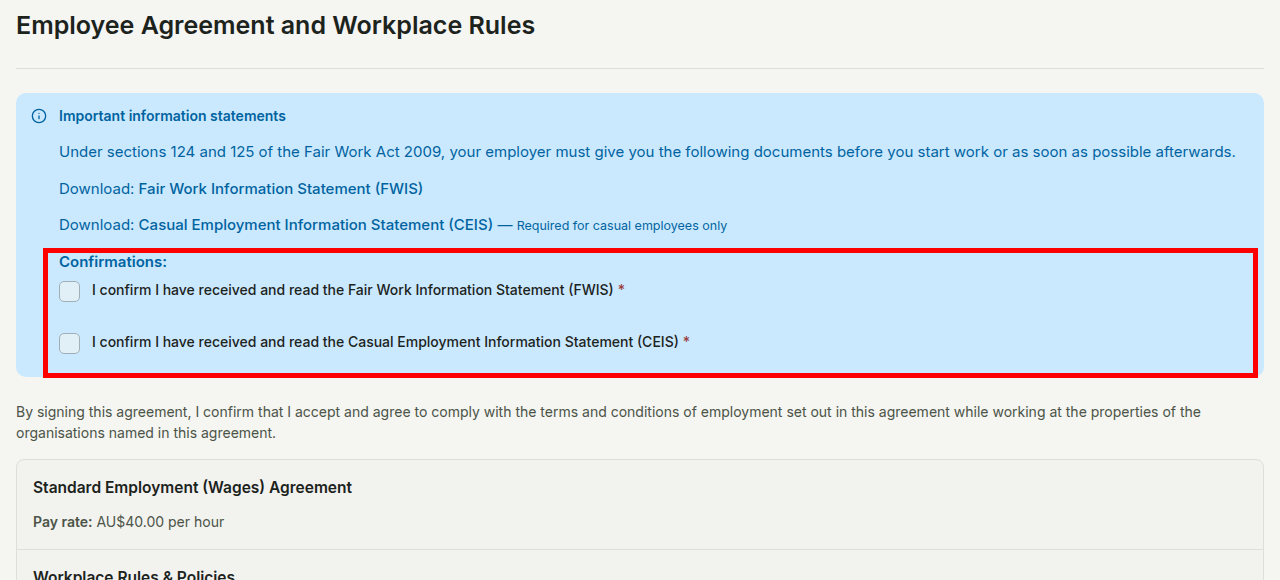
An AgCore employment eForm brings the employer, wage terms and workplace rules into one record for the worker to read. The published form names every Organisation covered by the agreement and shows the hourly rate, employment type and classification chosen by the employer.
This eForm is for wage employment. Piecework is separate: after the employer accepts the worker, they can issue a Piece Agreement for a specific Piece Rate Type.
The agreement page also links the Fair Work Information Statement. A casual worker sees the Casual Employment Information Statement as well. The Fair Work Ombudsman's information statements guide explains when employers must give these documents to employees.
The published words become part of the evidence
Publishing an eForm creates a version. AgCore keeps that version's wage, workplace rules and confirmation wording with the worker's Submission. It does not look up the employer's latest setup later.
The worker confirms each statement and workplace rule, enters their name and dates the agreement before submitting it. AgCore records those answers and creates the Compliance PDF from the pinned version. A later edit or publication cannot rewrite what that worker saw.
AgCore fetches the official Fair Work PDFs each day and validates a new file before it replaces the cached copy. If that check fails, AgCore keeps the last validated copy. Employers must still check Fair Work's current guidance; AgCore cannot decide which award or statement applies to a workplace.
Submission and acceptance are separate events
A worker submitting the eForm does not accept themselves into the workforce. The employer opens Agreements, selects Employment eForms, then uses Review submissions to check the supplied documents and details. The employer then accepts or rejects the Submission.
For a person who is not employed by that Organisation, acceptance creates the active worker record. A later accepted eForm updates the agreement for a current worker. A terminated worker needs a fresh eForm before the employer can rehire them. AgCore keeps submission and acceptance separate, so the record shows what the worker supplied and what the employer decided.
AgCore keeps the record; the employer owns the terms
AgCore preserves the published words, the worker's acknowledgements and the resulting documents. The employer remains responsible for the workplace rules, the award and classification chosen, and whether the agreement meets Australian workplace law.
The Fair Work Ombudsman's record-keeping and pay slips fact sheet explains the employment and pay records an employer must keep. AgCore provides the product record; this page is product information, not legal advice.
Open AgCore
Already have a login? Open Agreements and select eForm Setup to review the agreement your workers receive. Select Employment eForms, then Review submissions, to check worker Submissions.
No account yet? Start a free 60-day trial — the full product, no credit card.